A day with TARA / Cinematic concept + authentic native Today captureMorning, with room for life.
MorningNowNextEvening
TARA makes time visible.
Medicine, vitamins, supplements, water and other timed routines. One understandable sequence.
Timing, scheduling, reminders and history. Healthcare decisions stay with the person and their clinician.
Folder 01 / OriginMorning
Three times a day.
Then life happens.
A notification arrives while you are cooking. Another disappears during a meeting. Somewhere between the keys and the school bag, the schedule becomes something you have to keep in your head.
The problem is more than remembering an alarm. It is knowing where you are in the sequence. What happened? What is next?
A schedule has to coexist with life.
Study 01 / The arithmetic of everyday life
Folder 02 / ExperimentLate morning
What if you could
see the rhythm?
Give the next moment weight. Let later moments stay quieter. Make the distance to a preferred time visible.
The hypothesis was simple: a sequence is easier to understand than a pile of independent alarms.
Study 02 / Priority through time
The Smart Time Bar
Time is a place you can point to.
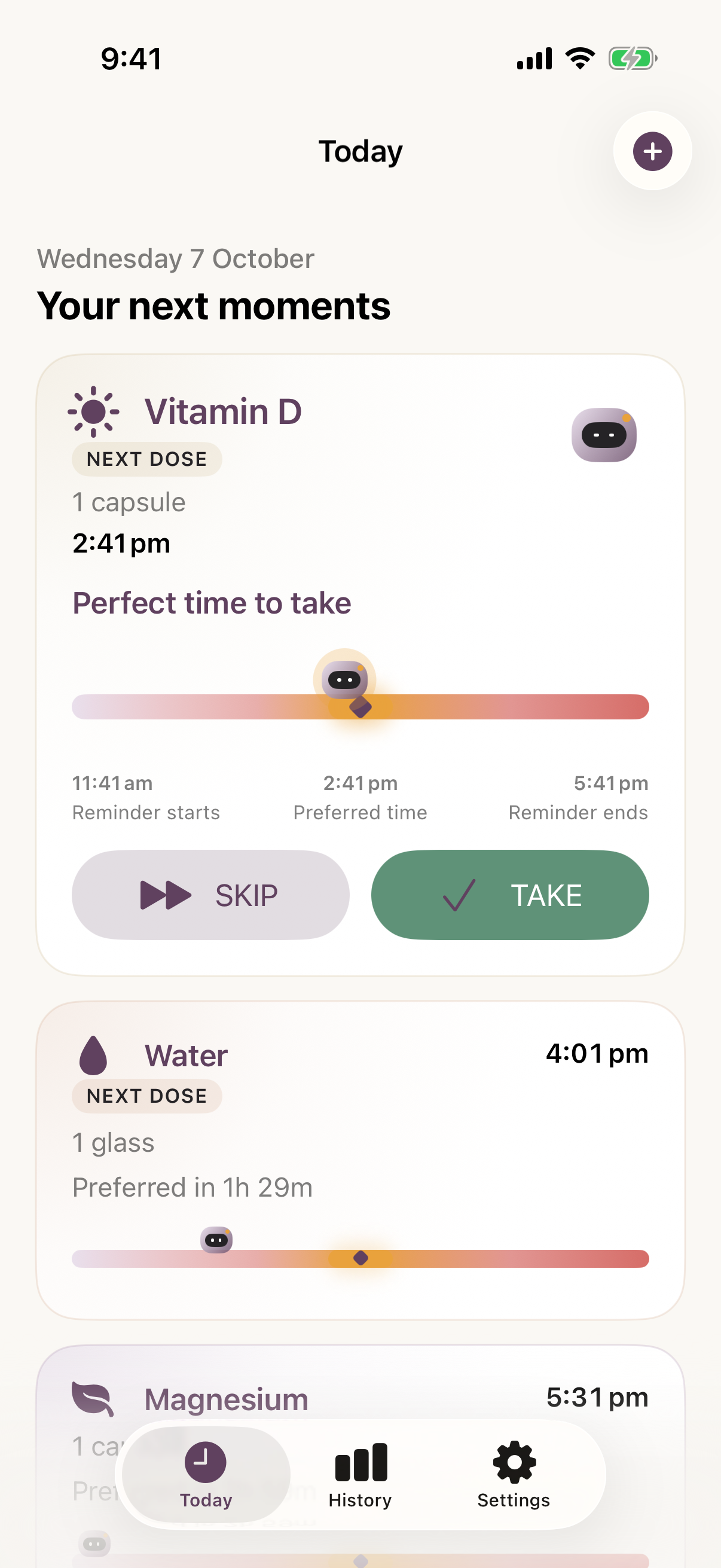
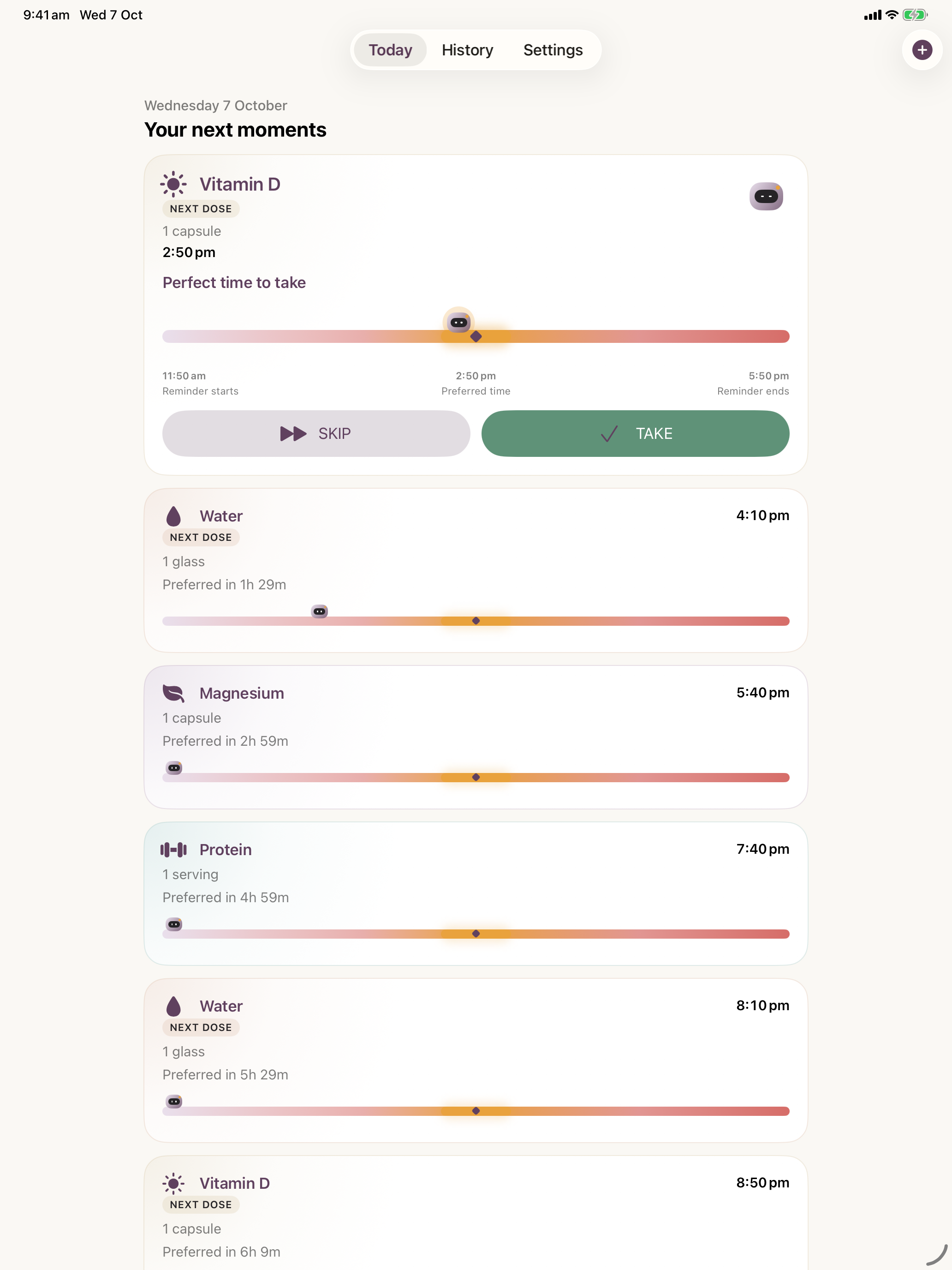
TARA moves along the bar as time passes. The diamond marks the preferred time. The amber segment shows the chosen preference window.
Position gives you proximity. Names, times and status labels give it meaning.
Default amber band: 20 minutes before and after. The wider reminder window is 3 hours each side. Both are adjustable organisational preferences; they do not determine whether an intake is medically safe.
Folder 03 / SystemMidday
A day becomes
a sequence.
Set up the routine. Live your day. Record an action. Continue.
Today, recurrence, reminders and History share the same idea of a moment. TARA is the small companion that makes that system easier to read.
Product evidence / Native app captures with fictional release examples · 7 October 2026
iPhone / Today / Your next moments↗
iPhone / The assistant in your pocket
One moment leads. The rest have a place.
01
The primary moment
The first relevant intake expands. Its timing bar, Take and Skip actions stay together.
02
A quieter chronology
Compact cards show later moments. Repeated occurrences retain the intake’s visual identity and their own times.
03
A deliberate handover
Record Take or Skip. That moment leaves the upcoming sequence. The next one becomes primary.
The screenshots show the real native interface. Their example names and amounts demonstrate the UI, not a suggested routine.
01
Set up
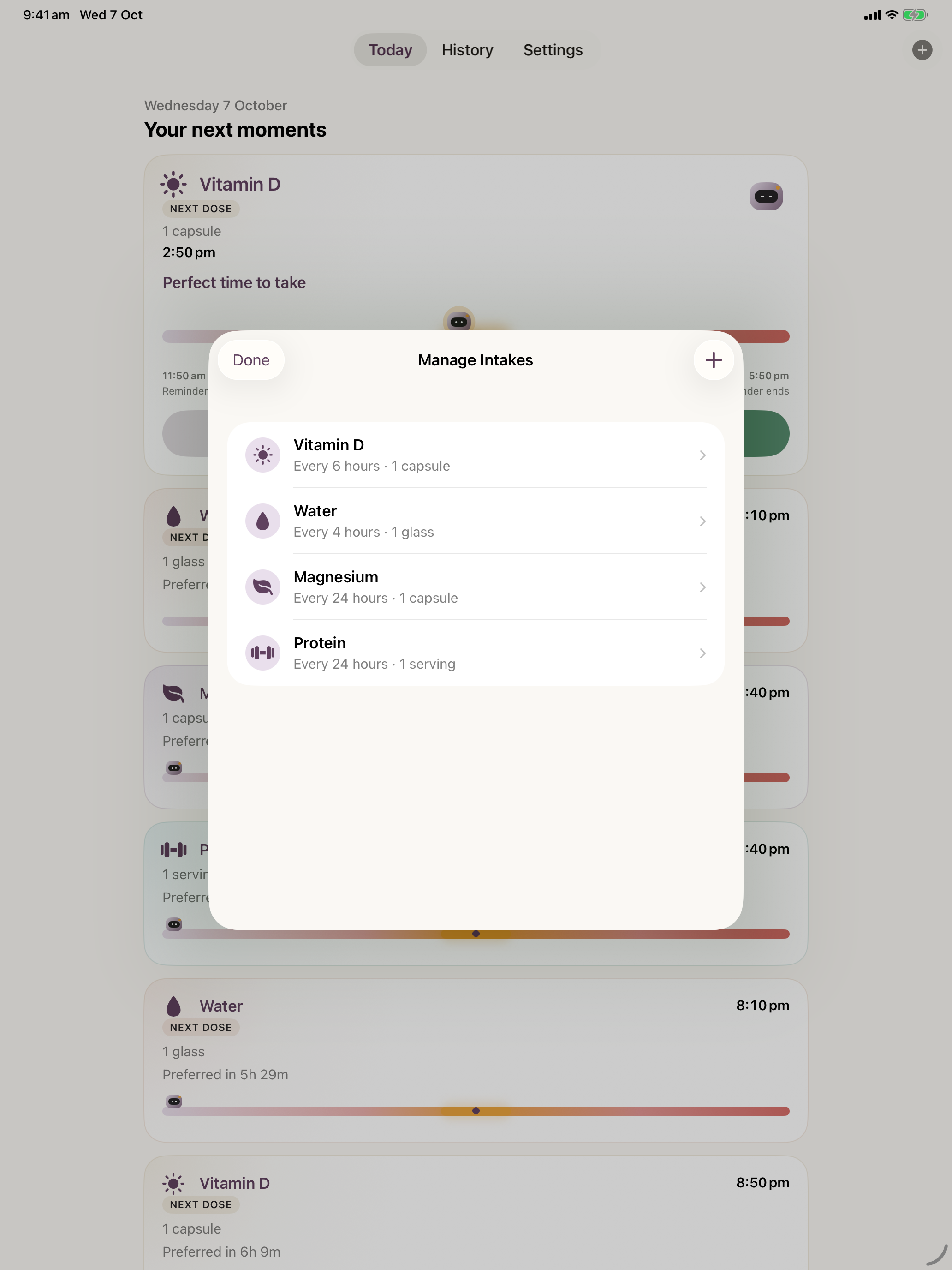
Name the intake, choose its category and optional amount, then establish its times and days.
02
Live the day
Today gives the first relevant moment room. Later moments follow in chronological order.
03
Act & record
Take and Skip record your choice. Resolved moments leave the upcoming sequence.
04
Continue
The next moment takes the lead. History keeps the outcomes behind you.
Recurrence / Powered by GAMAEvents
Choose the rhythm once.
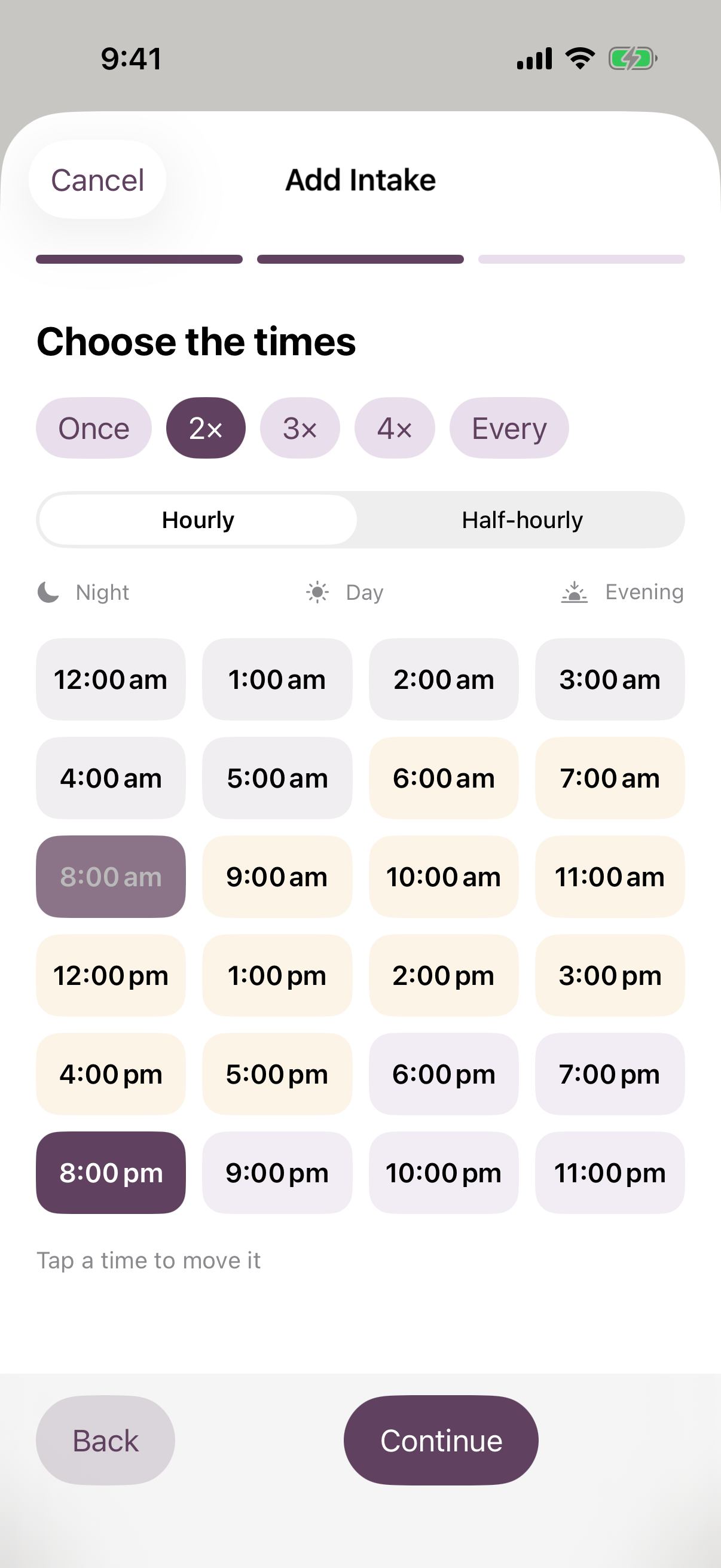
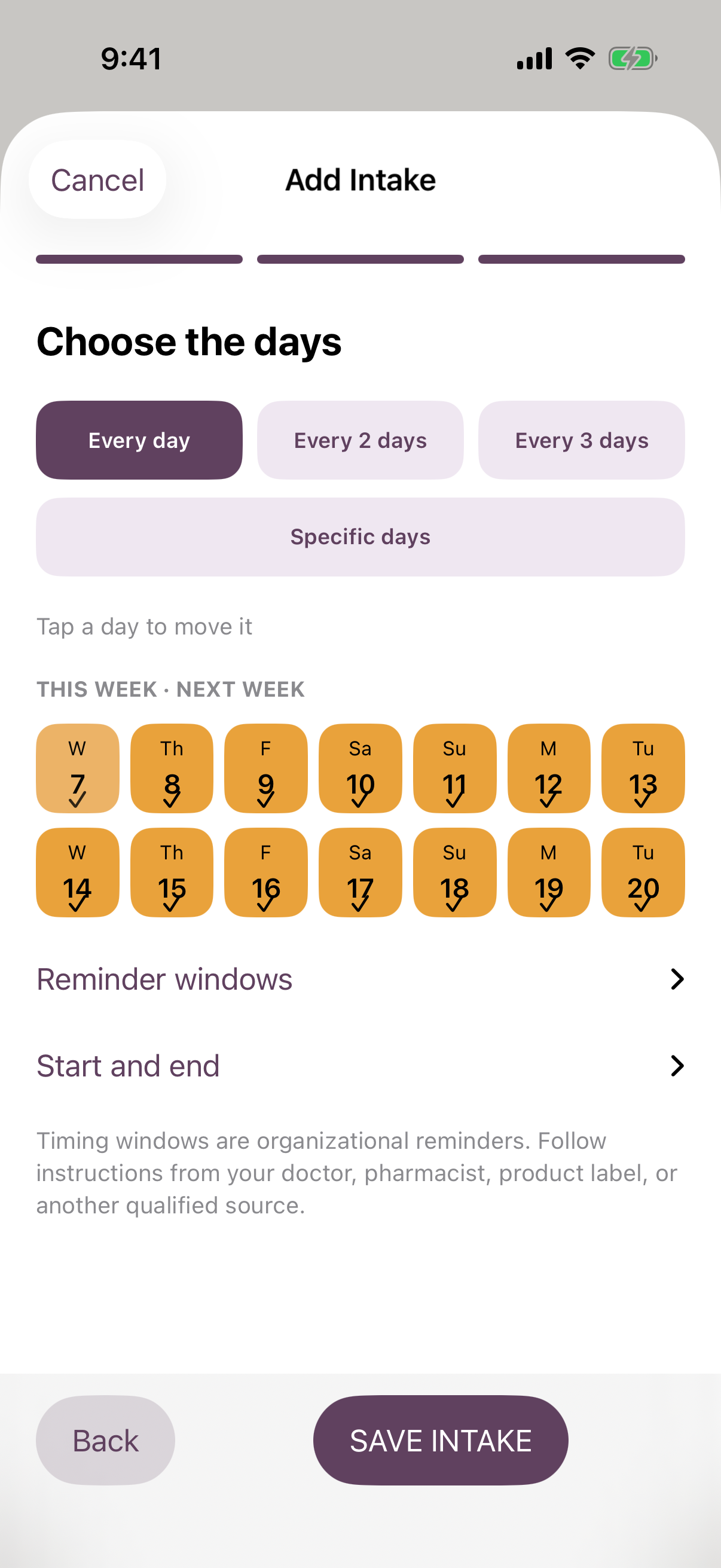
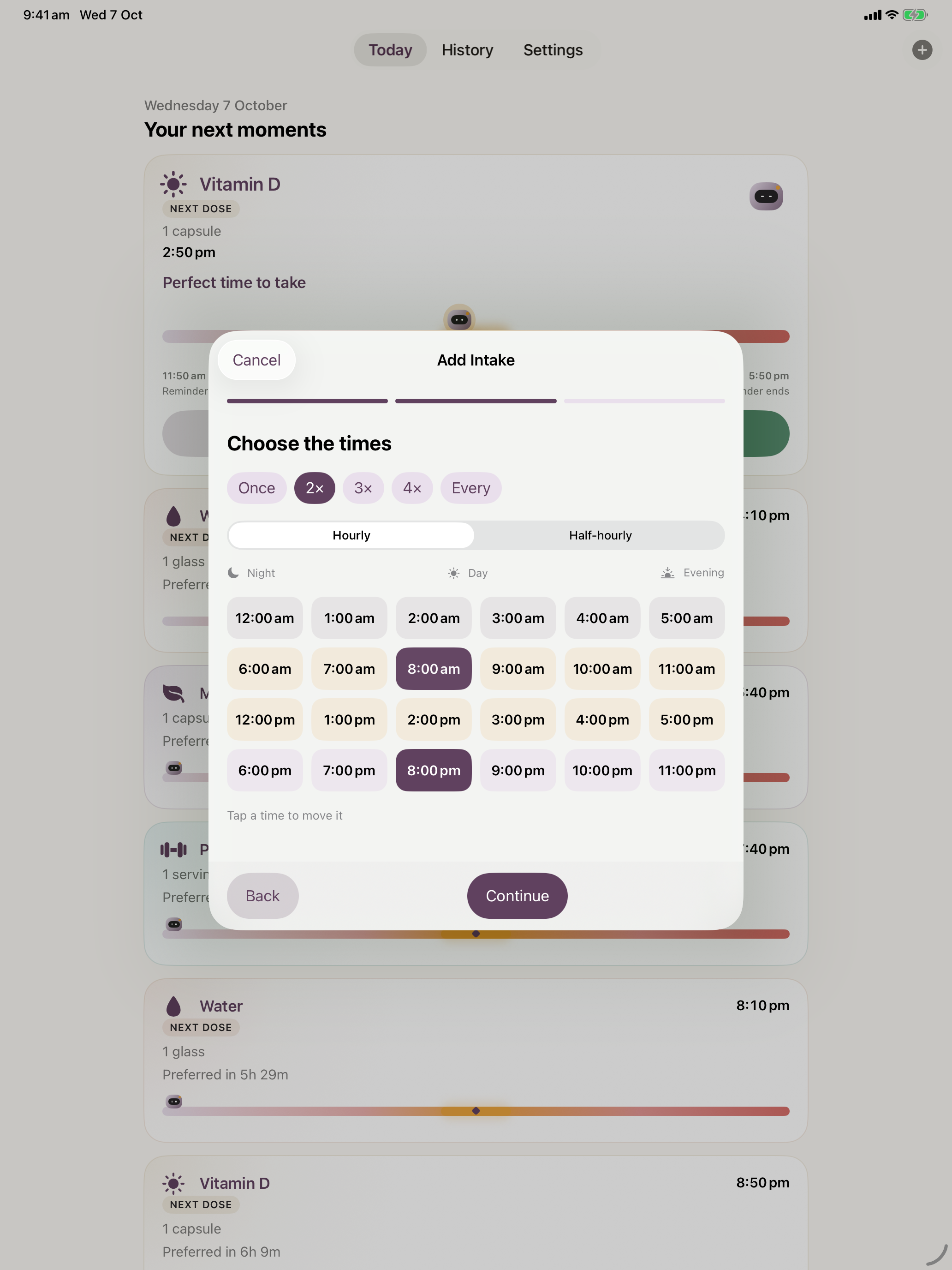
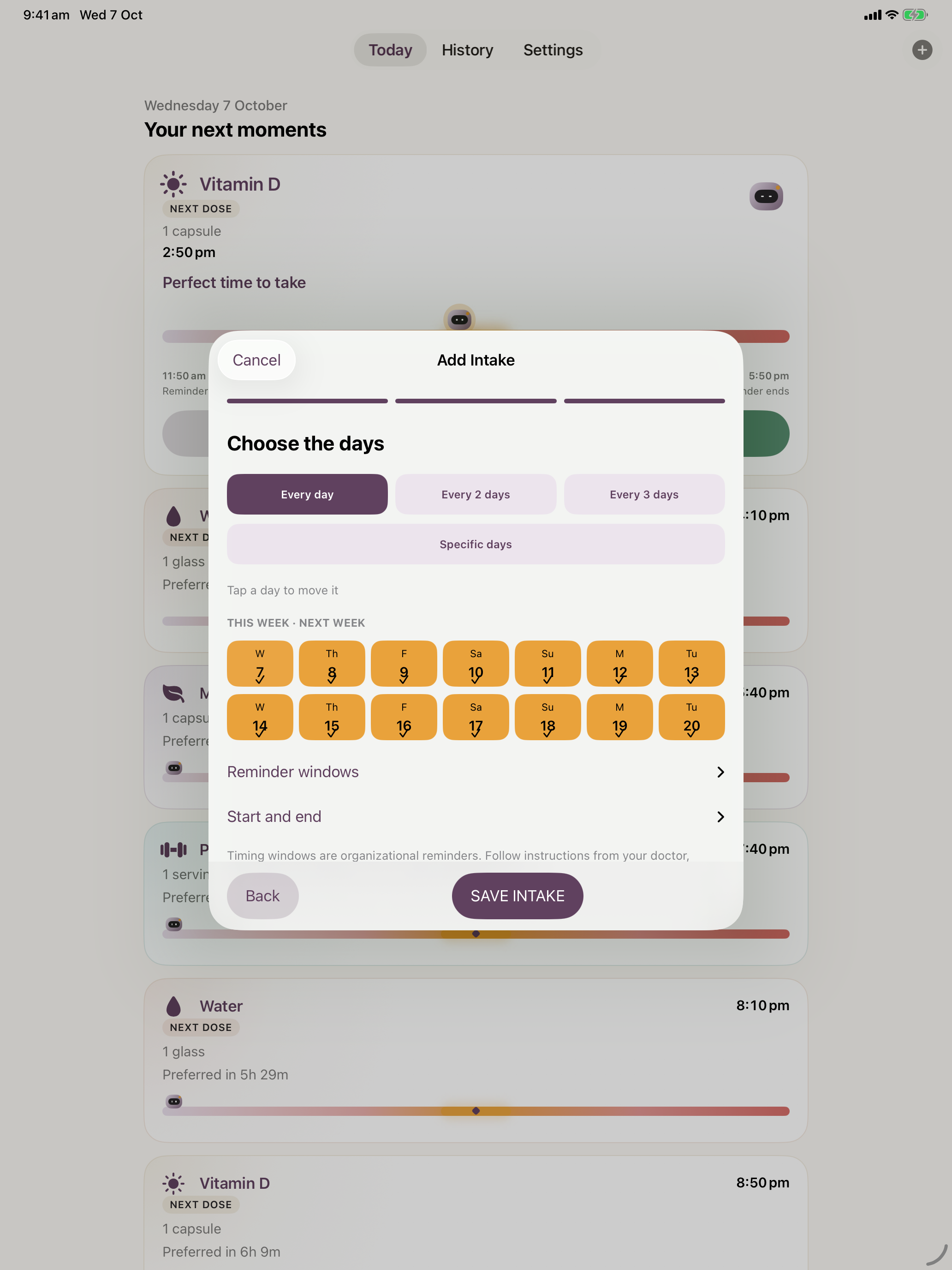
Pick the first time. TARA suggests the sequence. Adjust a slot with a controlled replacement, then choose the days.
Two kinds of recurrence
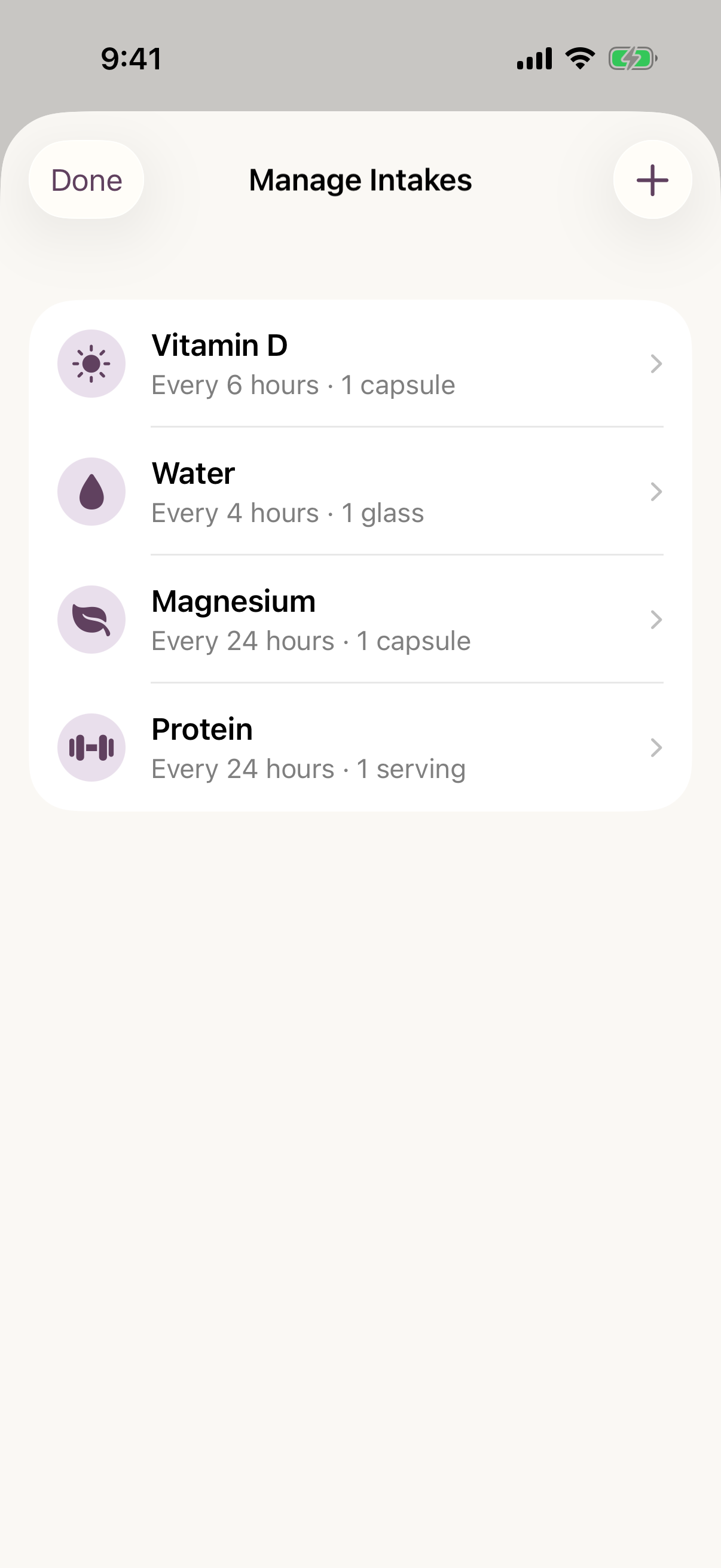
Choose one to four times per day on a calendar schedule, or an elapsed interval from 1 to 24 hours. Hourly and half-hourly controls set the time-selection grid; they do not prescribe intake frequency.
Calendar schedules support every day, every 2 or 3 days, or selected weekdays, and keep their configured time zone. Elapsed intervals continue across day boundaries. Taking an intake late records that action; it does not automatically prescribe or recalculate a new dosing plan.
Study 04 / One anchor, a constructed sequence
iPhone / Add Intake / Choose the times↗iPhone / Add Intake / Choose the days↗iPhone / Manage Intakes / Active routines↗
iPad / The same rhythm, more room
A wider view of the day.
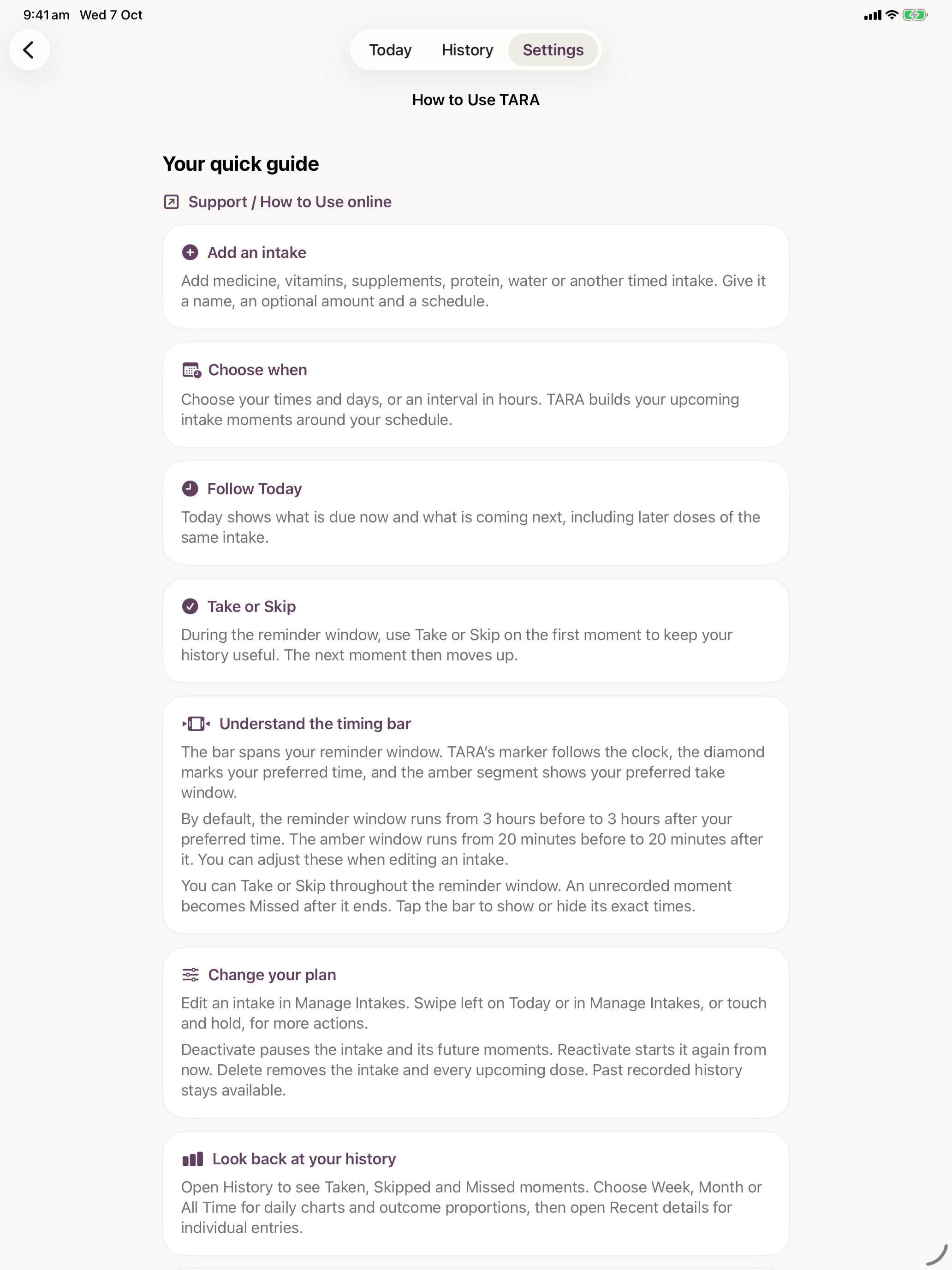
TARA adapts its native interface to the larger canvas. The bounded reading column keeps cards readable and shows more moments together.
It shares the same timing and recurrence model. The larger screen brings perspective.
See native iPad setup and management
iPad / Add Intake / Choose the times↗iPad / Add Intake / Choose the days↗iPad / Manage Intakes / Active routines↗
iPad / Today / Your next moments↗
Study 05 / The next moment, at a glance
WidgetKit / Beyond the application
“What’s next?” Before you open it.
The same sequence reaches the Home Screen and Lock Screen. The available space determines how much of the day appears.
01Small Next moment
02Medium Next moments
04Large Plus later-today count
Home Screen widget capacities. Medium and Large support Take for the first active moment. Lock Screen: Inline, Circular and Rectangular. Apple controls widget refresh timing.
Reminders and optional alarms
Standard reminders are local to each device. Optional iOS 26+ alarms require separate permission and are off by default. Stopping an alarm does not record an intake.
SwiftData stores the routines on the device. The production configuration uses a private CloudKit database; a local fallback does not synchronise.
No separate TARA account
The current app has no GAMA intake backend, advertising, tracking or analytics SDK. Scheduling runs locally through GAMAEvents.
A lock with clear limits
Optional Privacy Lock uses device authentication for the app. Widget, notification and alarm surfaces can still display intake names.
History is deliberately retained
Deleting an intake preserves past outcomes. The current app does not offer a history export or a clear-all-history control.
Open the native Settings and guide captures
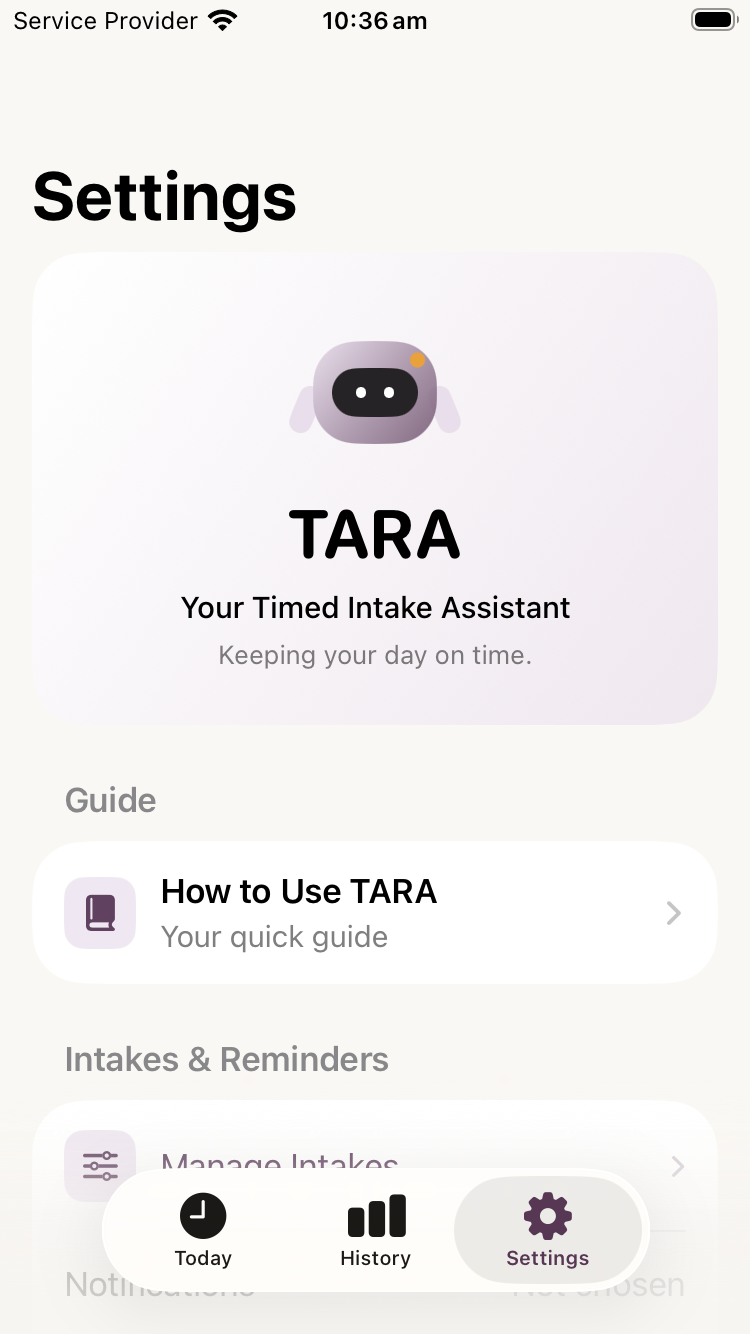
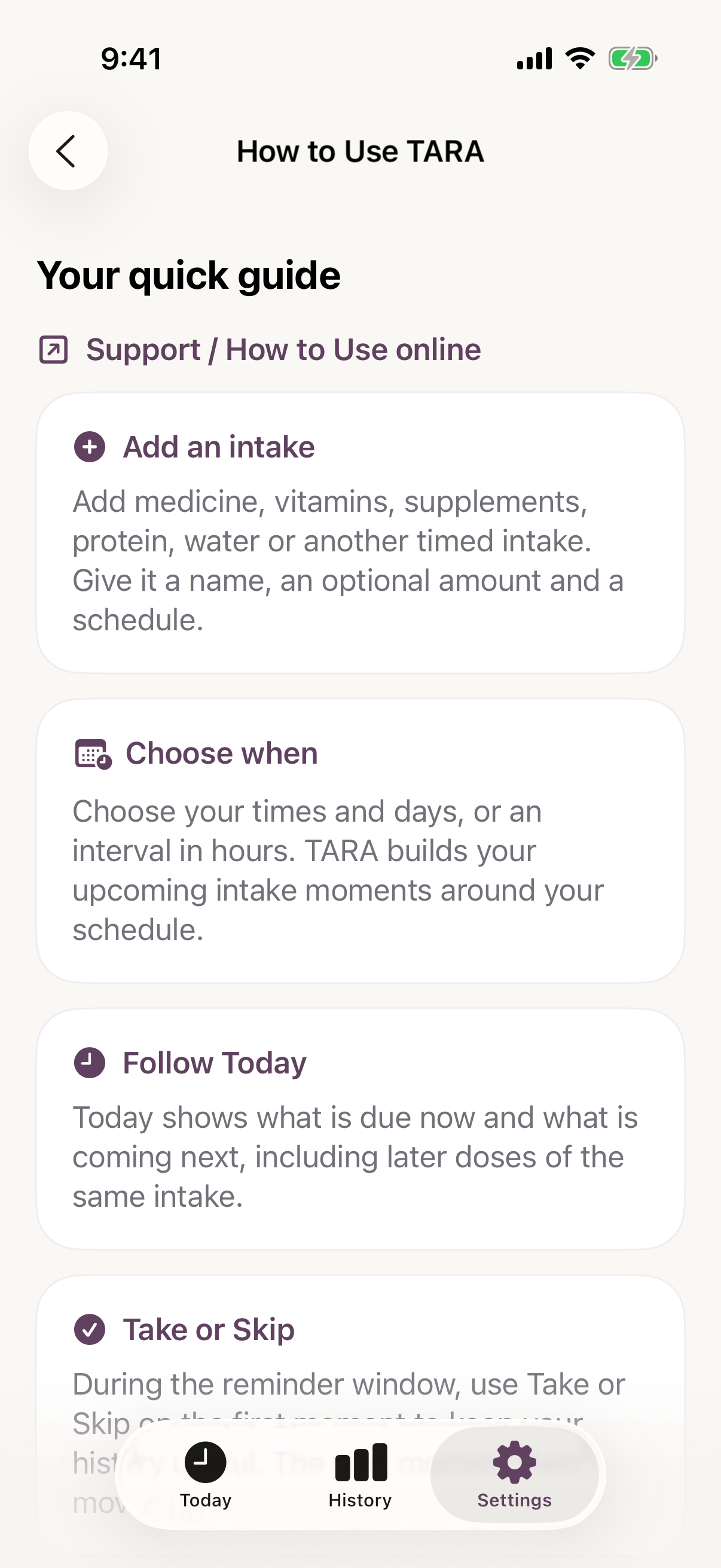
iPhone / Settings / Meet TARA↗iPhone / How to Use TARA / Native guide↗iPad / How to Use TARA / Native guide↗
Folder 06 / EvolutionNight → next morning
From reminder
to assistant.
Seven conceptual mutations. One increasingly understandable day.
Conceptual evolution / A rhythm takes shape.
Mutation 001 / I
The Alarm
One alert marks one time.
Scheduled point
A reminder can catch your attention. It cannot explain the whole day.
Mutation 002 / II
The Sequence
Separate events become a visible day.
Point → sequence
Chronology gives each moment a place and lets the next one take priority.
Mutation 003 / III
The Window
Distance to a preferred time becomes visible.
Time → space
The timing rail communicates proximity using position, labels and an adjustable preference band.
Mutation 004 / IV
The Identity
The same intake stays recognisable, later.
Item → recurring identity
A consistent tonal identity connects occurrences without making colour the only cue.
Mutation 005 / V
The Glance
The next moment reaches beyond the app.
Sequence → surface
Different widget sizes expose different amounts of the upcoming sequence.
Mutation 006 / VI
The Memory
What happened stays understandable.
Action → history
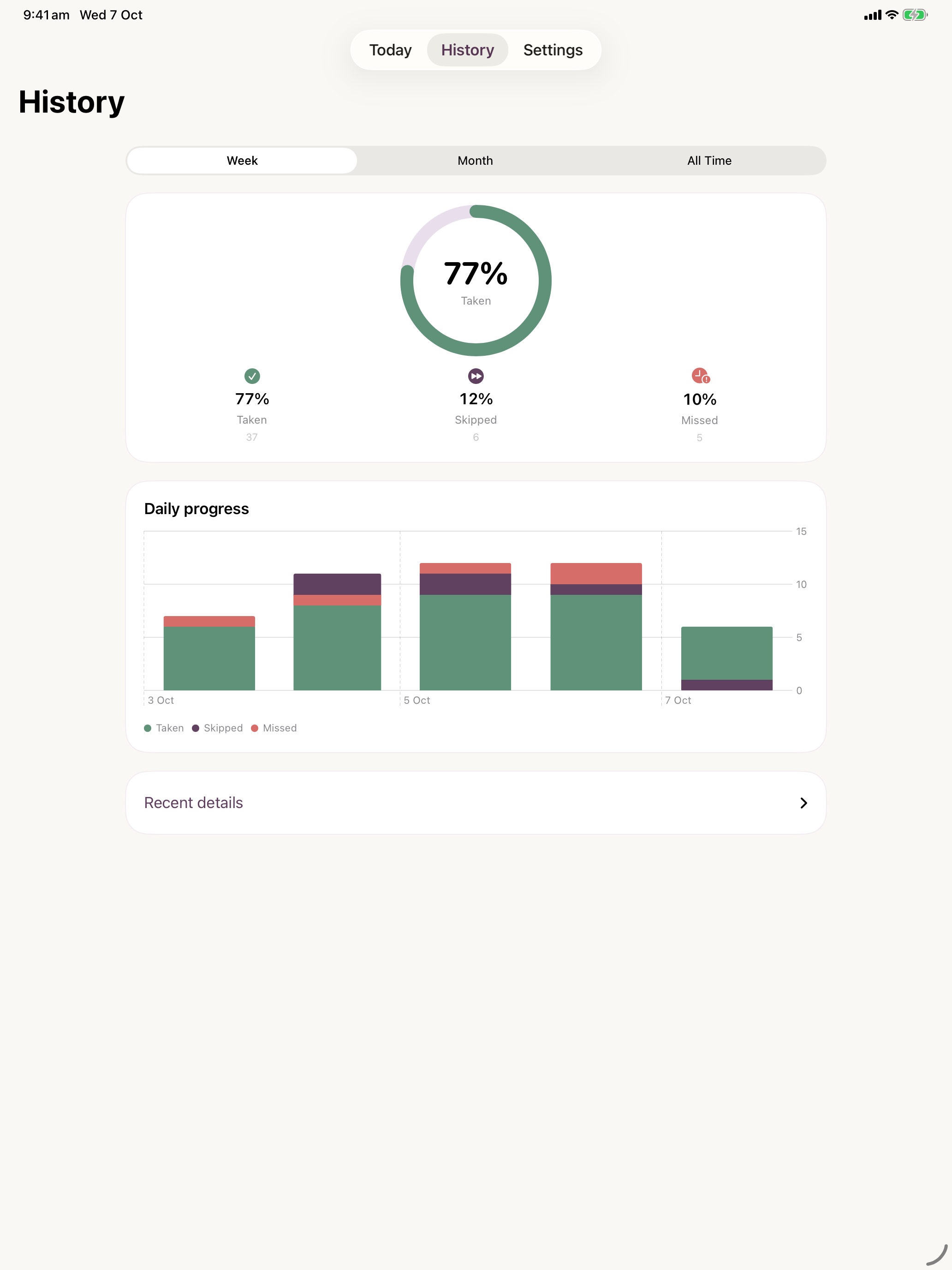
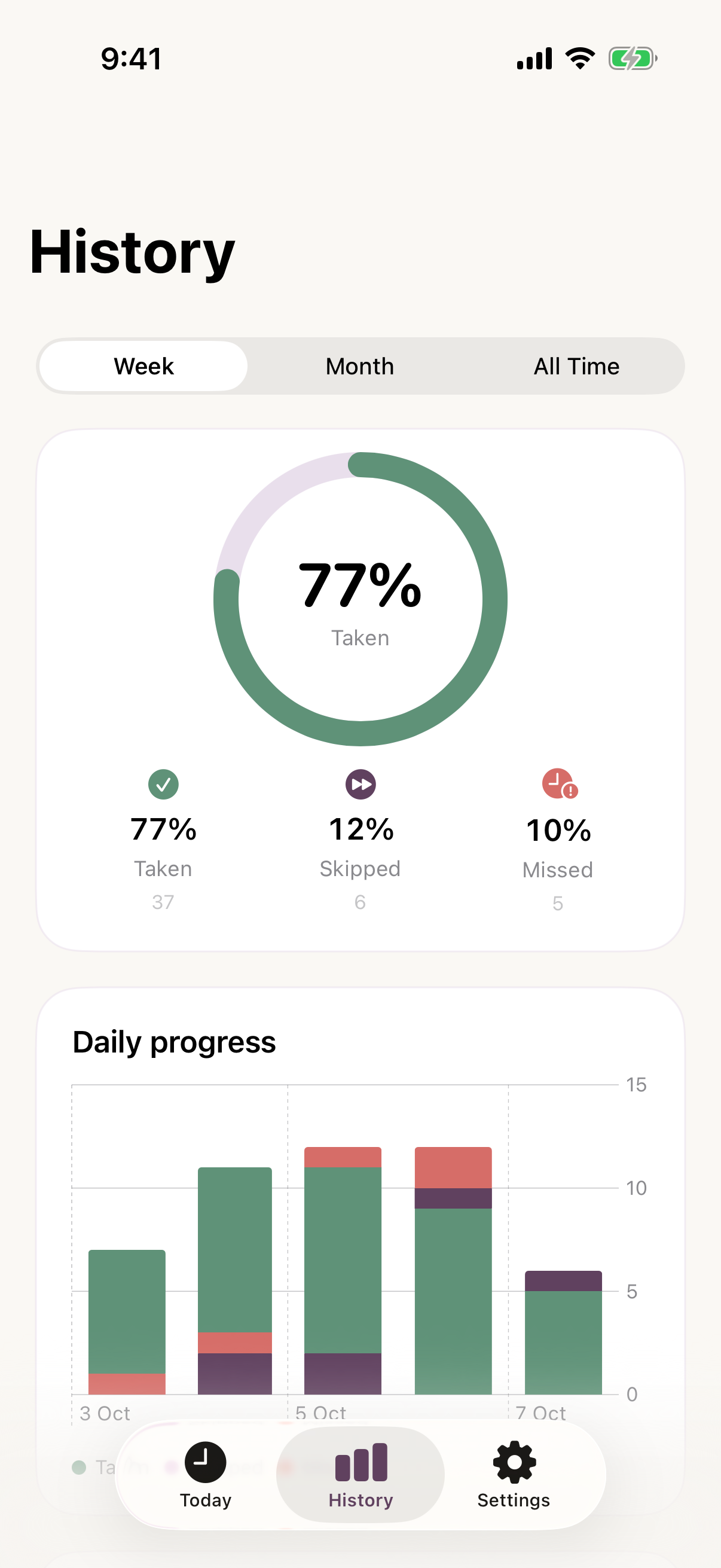
Taken, skipped and missed describe recorded timing outcomes, not health outcomes.
Mutation 007 / VII
The Assistant
The pieces become one calm experience.
System → companion
The original TARA mascot links timing, state and feedback with a familiar presence.
Current state / DEPLOYED
Deployed. Still finding its rhythm.
A native iPhone and iPad application for timed routines, reminders and history. Timing and organisation are its job. Healthcare decisions remain with the person and their clinician.